Applies to: Exchange Server SE / 2019 / 2016 Introduction During Exchange Server health checks in customer environments, the Packets Received Discarded error can appear in HealthChecker reports, particularly on servers running on VMware ESXi. For example, Exchange HealthChecker may report: Packets Received Discarded | 29989 --- Error: This value should be at 0. We are also seeing this value being rather high so this can cause a performance impact on a system. The HealthChecker result tells us that network packets have been discarded, but it doesn't tell us why or where the problem occurred. This article explains how to check discarded packets in Windows, investigate VMXNET3 receive counters on ESXi, and adjust the relevant adapter settings when receive buffer exhaustion is confirmed. In This Article 1. What Does "Packets…
Applies to: Exchange Server SE / 2019 ESE Event IDs 643 and 613, together with ExchangeStoreDB Event ID 124, were recorded when copies of the same Exchange mailbox database ran on DAG members using different Windows Server sorting versions. The issue is not limited to an in-place upgrade. The investigation began with a production Exchange Server 2019 DAG. New Exchange Server Subscription Edition (SE) servers running Windows Server 2022 had been added to that DAG, and copies of the existing mailbox databases had been created on the new servers. ESE Event ID 613 and ExchangeStoreDB Event ID 124 were reported. I reproduced the error pattern in a separate Exchange environment, including the NLS sort version mismatch reported by ESE Event ID 643. I examined two scenarios: adding new Exchange SE…
Applies to: Exchange Server SE / 2019* / 2016* *See Section 1.1 for version-specific HMA compatibility and minimum Exchange Server CU and HU/SU requirements. Organizations may need to keep all their Exchange mailboxes on-premises for business, technical, or regulatory reasons, but still want to enable Modern Authentication and use Microsoft Entra ID features such as MFA. Hybrid Modern Authentication (HMA) makes this possible without moving mailboxes to Exchange Online. Supported Exchange clients can authenticate through Microsoft Entra ID while their mailboxes remain on-premises. In this Field Guide, I show how I configured HMA on Exchange Server SE using Microsoft Entra Connect, the Hybrid Configuration Wizard (HCW), and Exchange PowerShell. The configuration covers Classic Outlook, OWA, and ECP, with both Password Hash Synchronization (PHS) and Pass-through Authentication (PTA). The guide also…
Applies to: Exchange Server SE / 2019 / 2016 Microsoft is moving away from NTLM in Windows. For Exchange Server administrators, this raises an important question: What does this mean for Exchange client authentication, and where does Kerberos fit in? In discussions with customers, I sometimes get the impression that moving away from NTLM means everything in Exchange should use Kerberos. But that is not how Exchange works. Different clients and services use different authentication methods. Kerberos can help reduce NTLM dependency, but it cannot replace all of them. So I wanted to focus on three practical questions: Where does Kerberos really fit in Exchange Server? What does it take to configure it correctly? And how can we confirm that clients are actually using Kerberos rather than falling back to…
Applies to: Exchange Server SE / 2019 | Microsoft Teams Microsoft Teams Calendar can be integrated with Exchange Server on-premises. Normally, we use the Hybrid Configuration Wizard (HCW) to configure the integration between Exchange Server and Microsoft 365. However, some customers keep all their mailboxes on-premises, with no mailboxes in Exchange Online. They use Microsoft Teams but do not need mailbox migration, hybrid mail flow, or other Exchange coexistence features. HCW can also configure additional Hybrid components, such as Organization Relationships, IntraOrganizationConnectors, and mail flow connectors, depending on the selected options. For this scenario, I wanted a more controlled approach. Instead of running HCW, I wanted to configure only the components required for Teams Calendar and understand what each one does. I started with basic Teams Calendar integration and then…
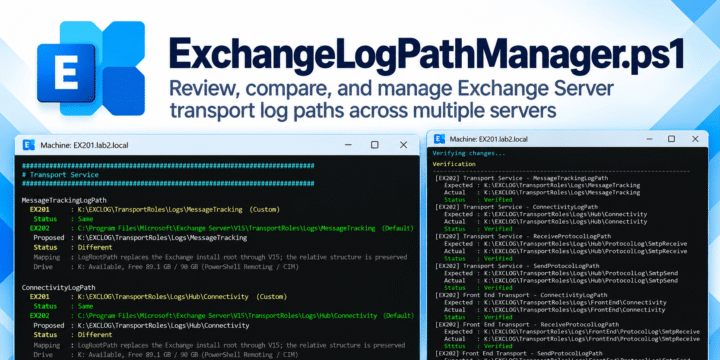
Applies to: Exchange Server SE / 2019 / 2016 Exchange Server can generate a large amount of log data over time, especially Message Tracking, SMTP protocol, and connectivity logs. By default, these logs are usually stored under the Exchange installation path, which is commonly on the system drive. I created ExchangeLogPathManager.ps1 to make it easier to review and compare transport log paths across multiple Exchange servers, and safely move supported high-growth transport logs to a dedicated log drive when needed. The script works with supported Transport Service, Front End Transport, and Mailbox Transport log path settings. Version 1.1 also adds Interactive Configure and explicit Review modes while keeping the same Preview, confirmation, pre-change snapshot, drift protection, Apply, and verification workflow. Download ExchangeLogPathManager.ps1 Download from GitHub Questions and feedback are welcome…
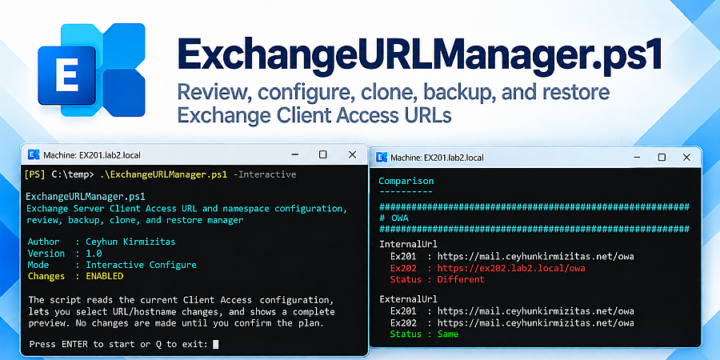
Applies to: Exchange Server SE / 2019 / 2016 Configuring Exchange Server Client Access URLs is rarely a one-time task. The URLs are set after a new installation, checked again during migrations, changed when a server is replaced or the namespace design changes, and compared when a new server needs to match the existing ones. The Exchange commands themselves are not complicated. The harder part is everything around those commands: checking the current configuration, deciding what should be carried over, seeing exactly what will change, keeping a backup, and verifying the result afterward. That was the main reason I created ExchangeURLManager.ps1. The goal was not only to set Exchange URLs. I wanted one tool that could review the current configuration, compare Exchange servers, configure namespaces, clone the required settings, create…
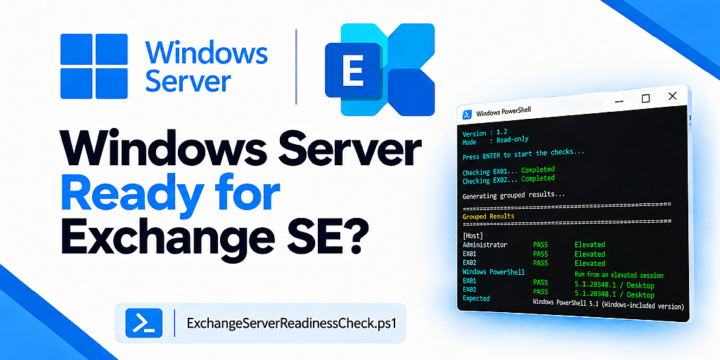
Applies to: Exchange Server SE RTM | Windows Server 2025 / 2022 / 2019 Over the years, I have seen many Exchange Server installations take longer than expected because of Windows Server, Active Directory, DNS, network, storage, or prerequisite problems. Even when Exchange Setup completes successfully, configuration differences can still cause unexpected behavior afterward. In some cases, recommended settings may also need to be reviewed and applied later. Many of these issues can be identified before Exchange Setup starts. That was the idea behind ExchangeServerReadinessCheck.ps1. I first created these checks for my own Exchange upgrade and migration work. Later, I added more checks based on different environments and real cases. This can be especially useful for Field Engineers, Consultants, and administrators who perform Exchange deployments, upgrades, or migrations periodically and…
Applies to: Exchange Server SE / 2019 / 2016 In a healthy Exchange Server environment, Exchange Server Auth Certificate renewal should normally be a straightforward process. In the field, however, I have seen cases where this process did not go as expected. Sometimes the certificate is still healthy. Sometimes it is close to expiration. In other cases, it is already expired, invalid, or missing from one or more Exchange servers. The correct action is not the same in every case. Because of this, I wanted to put together a practical guide based on the Exchange Server Auth Certificate cases I see in real environments. This guide shows how to check the current state, choose the correct path, renew or replace the certificate when needed, validate the result, and complete the…