Applies to: Exchange Server SE / 2019 ESE Event IDs 643 and 613, together with ExchangeStoreDB Event ID 124, were recorded when copies of the same Exchange mailbox database ran on DAG members using different Windows Server sorting versions. The issue is not limited to an in-place upgrade. The investigation began with a production Exchange Server 2019 DAG. New Exchange Server Subscription Edition (SE) servers running Windows Server 2022 had been added to that DAG, and copies of the existing mailbox databases had been created on the new servers. ESE Event ID 613 and ExchangeStoreDB Event ID 124 were reported. I reproduced the error pattern in a separate Exchange environment, including the NLS sort version mismatch reported by ESE Event ID 643. I examined two scenarios: adding new Exchange SE…
Applies to: Exchange Server SE / 2019 Microsoft recently published guidance for Exchange Server addressing the May 2026 vulnerability. One important note in the article is related to OWA Light. Microsoft states that OWA Light — accessed by using an OWA URL ending with /?layout=light — does not work properly after the mitigation is applied. Microsoft also notes that this feature was deprecated several years ago and is not intended for regular production use. For a deeper look at the OWA request path and frontend/backend authentication design, see Exchange OWA Authentication Deep Dive – Part 1. This can become a practical issue if some users previously selected the following option in Outlook on the web: "Use the light version of Outlook" When this option is selected, the user may continue…
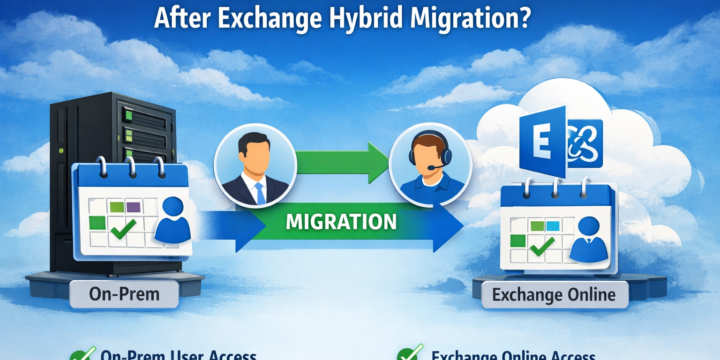
Applies to: Exchange Server SE / 2019 / 2016 | Exchange Online | Hybrid In Exchange Hybrid environments, shared calendar behavior after mailbox migration is often misunderstood. Calendar access does not automatically fail when a mailbox moves to Exchange Online, but the result depends on the permission type, how it was assigned, and the hybrid configuration. This article walks through a controlled test and shows the behavior observed before and after the move. In This Article 1. Scenario 2. Step 1 – Test Default Behavior (On-Prem → On-Prem) 3. Step 2 – Check Existing Permissions 4. Step 3 – Assign Explicit Permission 5. Step 4 – Verify Access 6. Step 5 – Migrate Mailbox to Exchange Online 7. Step 6 – Test After Migration (Both Directions) 7.1 Test 1 –…
Applies to: Exchange Server SE / 2019 / 2016 After moving a mailbox to another mailbox database, you may still see the old mailbox on the source database with a SoftDeleted disconnect reason. This is expected behavior in Exchange Server, including Exchange Server Subscription Edition, Exchange Server 2019, and Exchange Server 2016. The mailbox on the source database is not another active copy of the user mailbox. Exchange keeps the source mailbox temporarily so that its data can still be used for recovery if something goes wrong after the move. In This Article 1. Why This Happens 2. Check Soft-Deleted Mailboxes 3. Check Mailbox Retention 4. Should You Delete It? 5. Permanently Purge a Soft-Deleted Mailbox 6. Key Takeaways 1. Why This Happens When a mailbox move between Exchange mailbox…
Applies to: Exchange Server SE / 2019 / 2016 / 2013 / 2010 Exchange Server updates on a Database Availability Group (DAG) should be installed one member at a time. The main goal is to move active databases away from the server, prevent them from activating back during maintenance, install the update, and then return the server to production. The original version of this article was written for Exchange 2010 SP1 and used the term Update Rollup. Current Exchange Server servicing uses Cumulative Updates (CU), Security Updates (SU), and when required Hotfix Updates (HU). The DAG maintenance principle is still the same. In This Article 1. Before You Start 2. Put the DAG Member in Maintenance Mode 3. Install the Exchange Update 4. Return the Server to Production 5. Update…