Handling External Disclaimer Exceptions for Trusted Application Relays in Exchange Hybrid

Handling External Disclaimer Exceptions for Trusted Application Relays in Exchange Hybrid

Exchange, Exchange Online, Exchange Server SE / 2019 / 2016, Hybrid, Security & Hardening
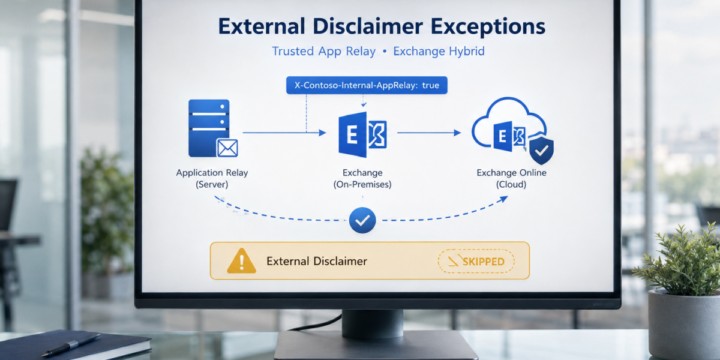
In Exchange Hybrid environments, it is common to use mail flow rules to add an external disclaimer or warning banner to messages received from outside the organization. A typical warning may look like this: WARNING: This email originated from outside the organization. Do not click links or open attachments unless you recognize the sender. This is a good security control. It helps users identify messages that came from external sources. However, there are some scenarios where messages generated by internal application servers may also receive this external disclaimer. This usually happens when an internal application server submits email anonymously to Exchange Server on-premises, and Exchange then routes the message to Exchange Online. In this article, we will look at how to handle this scenario safely by using a custom header…
Read More
What Happens to Shared Calendars After Exchange Hybrid Migration?

What Happens to Shared Calendars After Exchange Hybrid Migration?

Exchange, Exchange Online, Hybrid, Migration & Upgrade
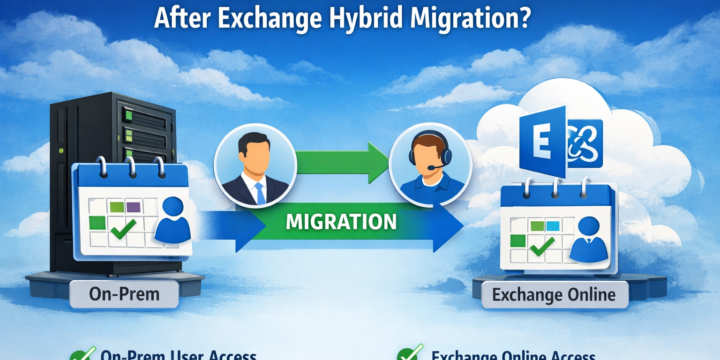
In Exchange Hybrid environments, shared calendar behavior after mailbox migration is often misunderstood. Many assume that calendar access breaks when a mailbox is moved to Exchange Online. In reality, the outcome depends on how permissions were configured before the migration. This article walks through a controlled scenario and shows exactly what happens. Scenario We use two users: buser01@onpremx.com bmuser01@onpremx.com Initial state: Both mailboxes are on on-prem Exchange Users can access each other’s calendars Step 1 – Test Default Behavior (On-Prem → On-Prem) Without assigning any permissions: Add calendar in Outlook Calendar is added successfully Only free/busy information is visible No subject or details This is expected. Default calendar permission: PowerShellAvailabilityOnlyAvailabilityOnly Step 2 – Check Existing Permissions Verify current permissions: PowerShellGet-MailboxFolderPermission bmuser01:\Calendar Get-MailboxFolderPermission buser01:\CalendarGet-MailboxFolderPermission bmuser01:\Calendar Get-MailboxFolderPermission buser01:\Calendar Typical result: No explicit…
Read More