Windows 11 25H2 to 26H2 Upgrade: First Impressions

Windows 11 25H2 to 26H2 Upgrade: First Impressions

Windows 11, Windows Client
Applies to: Windows 11 26H2; upgrade from Windows 11 25H2 On September 23, 2026, Windows 11 version 26H2 appeared in Windows Update on my Windows 11 Enterprise laptop. I decided to upgrade from Windows 11 25H2, OS Build 26200.9448, to 26H2 and document the process. After the upgrade, I also checked some of the newer Windows features to see what had actually changed and how they worked in daily use. This article is based on my experience with Windows 11 Enterprise. Some features or options may be different on other editions or device configurations, and Windows features can change with future updates. I may update this article as I continue using 26H2. In This Article 1. Upgrading from Windows 11 25H2 to 26H2 2. Upgrade Experience 3. Taskbar Position and…
Read More
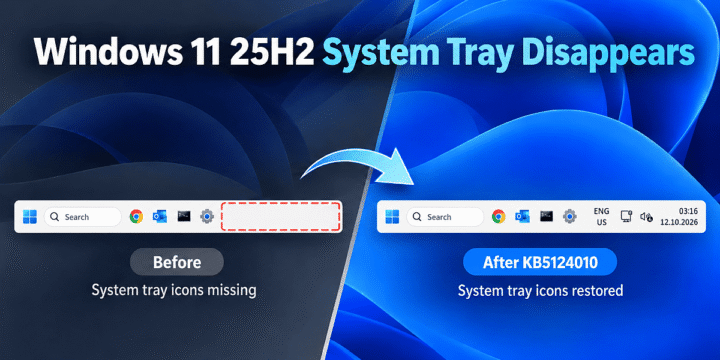
Windows 11 25H2 System Tray Disappears After KB5121003 and KB5120998 – Reproduced and Tested

Windows 11 25H2 System Tray Disappears After KB5121003 and KB5120998 – Reproduced and Tested

Windows 11, Windows Client
Applies to: Windows 11 25H2 Summary: On a Windows 11 25H2 test VM, the entire system tray disappeared after installing KB5121003 and disappeared again after installing the later KB5120998 cumulative preview. Removing KB5121003 rolled the VM back to OS Build 26200.8037 and immediately restored the clock, network, volume and notification area. This post documents the reproduction, rollback, temporary block and the follow-up test with KB5120998. This is a controlled reproduction on one Windows 11 25H2 VM, not a claim that every Windows 11 25H2 device will experience the same problem. At the time of writing, Microsoft does not list this exact whole-system-tray symptom as a known issue for KB5121003. In This Article 1. Environment and Starting Point 2. What the Problem Looked Like 3. Roll Back KB5121003 4. Result After…
Read More