Applies to: Exchange Server SE / 2019 / 2016 Microsoft is moving away from NTLM in Windows. For Exchange Server administrators, this raises an important question: What does this mean for Exchange client authentication, and where does Kerberos fit in? In discussions with customers, I sometimes get the impression that moving away from NTLM means everything in Exchange should use Kerberos. But that is not how Exchange works. Different clients and services use different authentication methods. Kerberos can help reduce NTLM dependency, but it cannot replace all of them. So I wanted to focus on three practical questions: Where does Kerberos really fit in Exchange Server? What does it take to configure it correctly? And how can we confirm that clients are actually using Kerberos rather than falling back to…
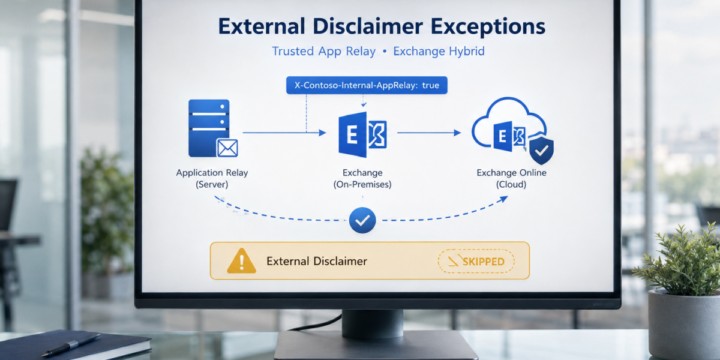
Applies to: Exchange Server SE / 2019 / 2016 | Exchange Online | Hybrid In Exchange Hybrid environments, it is common to use mail flow rules to add an external disclaimer or warning banner to messages received from outside the organization. A typical warning may look like this: WARNING: This email originated from outside the organization. Do not click links or open attachments unless you recognize the sender. This is a good security control. It helps users identify messages that came from external sources. However, there are some scenarios where messages generated by internal application servers may also receive this external disclaimer. This usually happens when an internal application server submits email anonymously to Exchange Server on-premises, and Exchange then routes the message to Exchange Online. In this article, we…
Applies to: Exchange Server SE / 2019 Microsoft recently published guidance for Exchange Server addressing the May 2026 vulnerability. One important note in the article is related to OWA Light. Microsoft states that OWA Light — accessed by using an OWA URL ending with /?layout=light — does not work properly after the mitigation is applied. Microsoft also notes that this feature was deprecated several years ago and is not intended for regular production use. For a deeper look at the OWA request path and frontend/backend authentication design, see Exchange OWA Authentication Deep Dive – Part 1. This can become a practical issue if some users previously selected the following option in Outlook on the web: "Use the light version of Outlook" When this option is selected, the user may continue…