Reclaiming Space from Inflated Thin VMDK Disks After VM Export in ESXi

Reclaiming Space from Inflated Thin VMDK Disks After VM Export in ESXi

VMware, vSphere
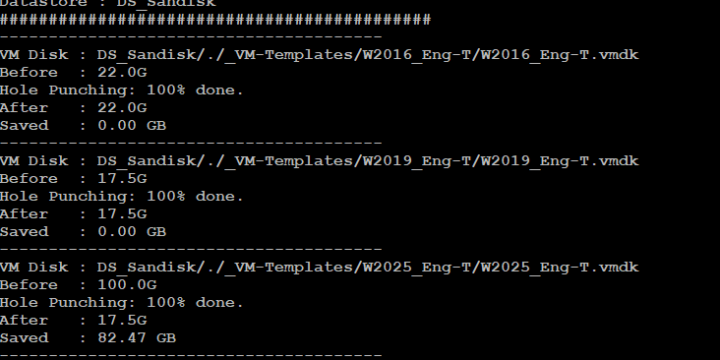
Applies to: VMware ESXi 9.x / 8.x / 7.x / 6.7 / 6.5 / 6.0 / 5.5 / 5.1 / 5.0 / 4.1 After exporting several virtual machines from my ESXi environment, I noticed that datastore usage had increased significantly. Although the guest operating systems were using only a small portion of their virtual disks, the VMDK files appeared to occupy space close to their full provisioned size. For example, a virtual machine with a 100 GB thin-provisioned disk that was actually using only around 17 GB inside the guest OS appeared to consume almost the entire provisioned disk size on the datastore. This situation can quickly become problematic in environments where multiple virtual machines are exported or stored for later use. Datastores may appear nearly full even though the…
Read More
How to Join VMware ESXi to an Active Directory Domain

How to Join VMware ESXi to an Active Directory Domain

Active Directory, Identity, VMware, vSphere
Applies to: VMware ESXi 9.x / 8.x / 7.x / 6.7 / 6.5 / 6.0 / 5.5 / 5.1 VMware ESXi can use Microsoft Active Directory for direct host authentication. This lets administrators assign ESXi permissions to domain users and groups instead of maintaining separate local accounts on every host. Security note: Current VMware security guidance no longer recommends joining ESXi hosts directly to Active Directory as the default design. In centrally managed environments, prefer managing authentication and permissions through vCenter unless direct host-level AD authentication is specifically required. The original version of this article was written for ESXi 5.1. The capability still exists in current ESXi releases, but the interface and security defaults have changed. In This Article 1. Before You Join the Domain 2. Join ESXi to Active…
Read More
Step by Step Upgrade from VMware vCenter Server 5.1 to vCenter Server 5.1 Update 1

Step by Step Upgrade from VMware vCenter Server 5.1 to vCenter Server 5.1 Update 1

Archive / Legacy Topics, VMware, vSphere
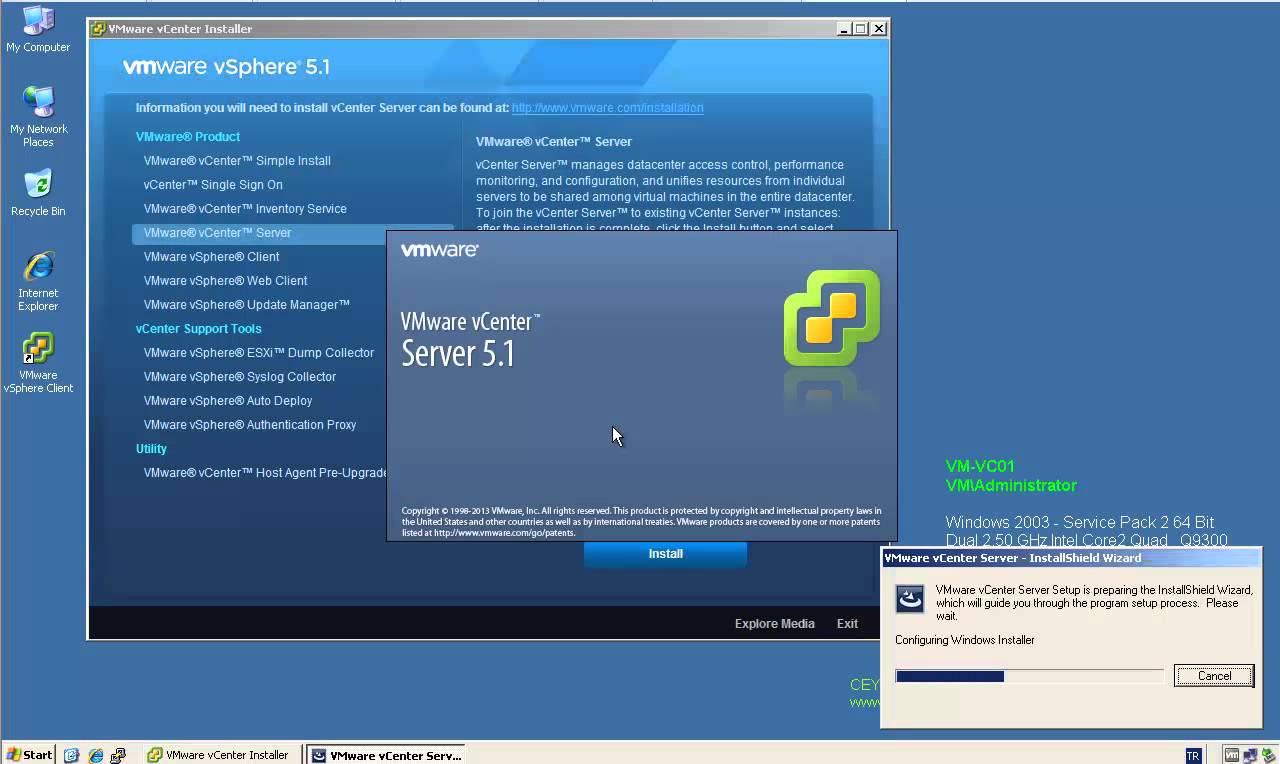
Applies to: VMware vCenter Server 5.1 → 5.1 Update 1 Historical: This article covers the Windows-based vCenter Server 5.1 architecture and its upgrade to vCenter Server 5.1 Update 1. This release is no longer supported and the component-by-component upgrade model described here does not apply to current vCenter Server releases. vCenter Server 5.1 separated several core services into individual components, including Single Sign-On (SSO), Inventory Service, vCenter Server, and the vSphere Web Client. Because of that architecture, upgrading to 5.1 Update 1 required the components to be updated in the correct order. In This Article 1. Before the Upgrade 2. Recommended Upgrade Sequence 3. Verify the Upgrade 4. Key Takeaways 1. Before the Upgrade Before upgrading a vSphere 5.1 environment, verify interoperability with any VMware products and plug-ins that depend…
Read More

How to Install Intel 82576 / 82580 NIC Drivers on VMware ESX / ESXi 4.x

Archive / Legacy Topics, VMware, vSphere
Applies to: VMware ESX / ESXi 4.x | IBM System x3850 X5 | Intel 82576 / 82580 Gigabit Ethernet Controllers Historical: This article covers a legacy ESX/ESXi 4.x driver installation scenario for Intel 82576 and 82580 Gigabit Ethernet controllers, including the IBM I340-T4 adapter used in IBM System x servers such as the x3850 X5. In this configuration, the network adapter could be supported by VMware but the required igb driver was not included in the ESX/ESXi installation media. The driver therefore had to be installed separately from an offline bundle. In This Article 1. Driver Package 2. Prepare the ESX Host 3. Install the Driver 4. Reboot and Verify 5. Important Version Note 6. Key Takeaways 1. Driver Package The original installation used the Intel igb 2.1.10.2 offline bundle:…
Read More
How vSphere HA Fault Domain Manager (FDM) Works

How vSphere HA Fault Domain Manager (FDM) Works

VMware, vSphere
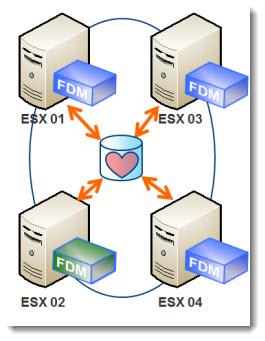
Applies to: VMware vSphere 9.x / 8.x / 7.x / 6.7 / 6.5 / 6.0 / 5.5 / 5.1 / 5.0 vSphere High Availability (HA) uses the Fault Domain Manager (FDM) agent on ESXi hosts to monitor host and virtual machine availability and coordinate recovery when a failure occurs. FDM was introduced with vSphere 5 and replaced the older AAM-based HA architecture. The basic design is still used in current vSphere releases: one host takes the Primary role and the remaining hosts run as Secondary nodes. Network heartbeats and datastore heartbeats help vSphere HA determine whether a host has failed, is isolated, or is part of a network partition. In This Article 1. What Is FDM? 2. Primary and Secondary Hosts 3. Network Heartbeats 4. Datastore Heartbeats 5. What Happens…
Read More

How to Configure the VMware ESXi Firewall

VMware, vSphere
Applies to: VMware ESXi 9.x / 8.x / 7.x / 6.7 / 6.5 / 6.0 / 5.5 / 5.1 / 5.0 VMware introduced a built-in host firewall with ESXi 5.0. The same service-based firewall model continues in current ESXi releases: firewall rules are grouped into rulesets for services such as SSH, DNS, NTP, syslog, and management traffic. The original version of this article focused on what was new in vSphere 5. This updated version keeps that history but focuses on how the ESXi firewall is managed today. In This Article 1. How the ESXi Firewall Works 2. View Firewall Rules in the vSphere Client 3. View Firewall Rules with ESXCLI 4. Enable or Disable a Ruleset 5. Restrict a Ruleset by IP Address 6. System-Owned Rulesets 7. Key Takeaways 1.…
Read More

ESX / ESXi 4.x Slow Boot with MSCS RDM LUNs

Archive / Legacy Topics, VMware, vSphere
Applies to: VMware ESX / ESXi 4.1 / 4.0 | MSCS or WSFC with shared RDM LUNs Historical: This article covers a legacy ESX/ESXi 4.x boot-delay issue seen on hosts that could access shared Raw Device Mapping (RDM) LUNs used by Microsoft Cluster Service (MSCS) nodes. The host could appear to stop for a long time around messages such as multiextent loaded successfully while storage devices were being discovered. The delay was caused by SCSI reservation conflicts on shared RDM LUNs owned by the active cluster node. In This Article 1. Why the Host Boots Slowly 2. ESX / ESXi 4.1 Workaround 3. ESX / ESXi 4.0 Workaround 4. Current ESXi Behavior 5. Key Takeaways 1. Why the Host Boots Slowly When clustered virtual machines use shared RDM disks, the…
Read More
How to Enable ESXi Shell for Local Troubleshooting

How to Enable ESXi Shell for Local Troubleshooting

VMware, vSphere
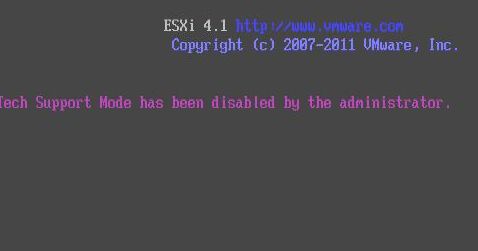
Applies to: VMware ESXi 9.x / 8.x / 7.x / 6.7 / 6.5 / 6.0 / 5.5 / 5.1 / 5.0 / 4.1 ESXi Shell, previously called Tech Support Mode (TSM), provides local command-line access to an ESXi host. It is mainly intended for break-fix situations where normal management tools are not available or are not enough. The original version of this article was written for ESXi 4.1, where the message “Tech Support Mode has been disabled by the Administrator” appeared when local TSM was disabled. The same basic concept still exists in current ESXi releases, but the feature is now called ESXi Shell. In This Article 1. ESXi Shell vs SSH 2. Enable ESXi Shell from DCUI 3. Access the Local ESXi Shell 4. Enable ESXi Shell from the…
Read More
How to Update ESXi 4.1 to ESXi 4.1 Update 1 Without Update Manager

How to Update ESXi 4.1 to ESXi 4.1 Update 1 Without Update Manager

Archive / Legacy Topics, VMware, vSphere
Applies to: VMware ESXi 4.1 → 4.1 Update 1 Historical: This article covers the legacy VMware vSphere CLI vihostupdate.pl workflow for updating ESXi 4.1 to ESXi 4.1 Update 1 without VMware Update Manager. This method does not apply to current ESXi releases. ESXi 4.1 Update 1 was released on February 10, 2011. The original procedure used VMware vSphere CLI (vCLI) from a Windows management workstation and an offline update bundle. In This Article 1. Before You Start 2. Place the Host in Maintenance Mode 3. Install the Offline Update Bundle 4. Reboot and Verify 5. Key Takeaways 1. Before You Start Download the correct ESXi 4.1 Update 1 offline bundle for the host. Install VMware vSphere CLI (vCLI) on the management workstation. Verify network connectivity from the management workstation to…
Read More