How to Update Windows Server Failover Cluster Nodes Safely

Failover Clustering, Windows Server
Applies to: Windows Server 2025 / 2022 / 2019 / 2016 / 2012 R2 / 2012 / 2008 R2 / 2008 / 2003 Updating a Windows Server Failover Cluster should be done one node at a time so clustered workloads remain available while each node is patched and restarted. The basic method is simple: drain roles from a node, pause it, install updates, restart it, validate it, and then return it to the cluster. The original version of this article covered service packs on Windows Server 2003, 2008, and 2008 R2. Current Windows Server versions use the same rolling-maintenance idea, but modern Failover Clustering also provides Cluster-Aware Updating (CAU) to automate much of the process. In This Article 1. Before You Start 2. Manual Rolling Update Process 3. Cluster-Aware Updating…
Read More
Windows Server 2003 Cluster with StarWind iSCSI on VMware Workstation

Windows Server 2003 Cluster with StarWind iSCSI on VMware Workstation

Archive / Legacy Topics, Failover Clustering, VMware, Windows Server, Workstation
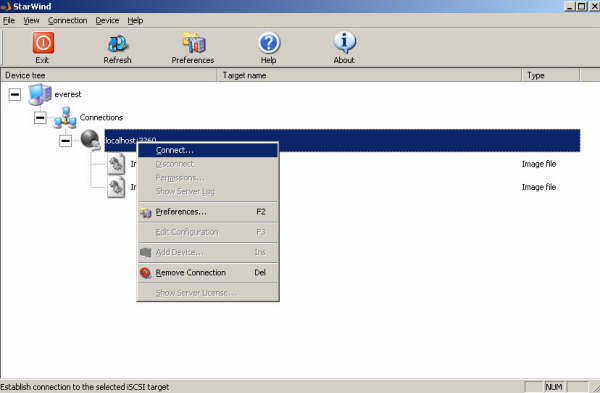
Applies to: Windows Server 2003 | VMware Workstation 7.x / 6.x | legacy StarWind iSCSI Target Historical: This article documents an older shared-storage clustering setup using Windows Server 2003 virtual machines, VMware Workstation, Microsoft iSCSI Initiator, and the legacy StarWind iSCSI Target interface. The exact StarWind screens and Windows Server clustering workflow shown here are no longer current, but the underlying storage model is still useful: both cluster nodes connect to the same shared iSCSI LUNs, which are then presented to Windows Failover Clustering. In This Article 1. Original Design 2. Configure StarWind Storage 3. Configure the Networks 4. Connect the First Cluster Node 5. Connect the Second Cluster Node 6. Current Windows Server Guidance 7. Key Takeaways 1. Original Design The original setup used three components: iSCSI target: StarWind…
Read More