Applies to: Exchange Server SE / 2019 / 2016
Summary: In Part 1, we mapped the OWA authentication layers and captured the default configuration. In this part, we change only the frontend OWA authentication settings and watch what happens in Exchange, IIS, and the browser.
Changing one Exchange OWA authentication setting can completely change what IIS allows and what the browser shows. Understanding those differences makes it much easier to tell a real authentication failure from an expected 401 challenge, a Basic prompt, or the normal Exchange OWA sign-in flow.
Part 2: Forms-Based and Basic Authentication – What Really Changes? — you are here
Part 3: Frontend vs Backend Authentication – Controlled A/B Tests
Part 4: Troubleshooting OWA Authentication with IIS and HttpProxy Logs
Part 5: Managed Availability and OWA Health Probes
Part 6: Windows Authentication, NTLM, Kerberos, SPNs and SSO
Part 7: LogonFormat, DefaultDomain and Troubleshooting Playbook
As with the rest of this series, the goal here is not to propose a new production configuration. The controlled lab lets us change one setting at a time and see the actual effect before making similar decisions in production. These tests are intended as a practical reference for safer production changes, troubleshooting customer environments, and evaluating security or hardening recommendations.
In This Article
- 1. Starting Point
- 2. What We Are Testing
- 3. Test 1 – Disable Forms-Based Authentication
- 4. Why the 401 Matters
- 5. Test 2 – Enable Basic Authentication Only
- 6. Test 3 – Restore Forms-Based Authentication
- 7. Set-OwaVirtualDirectory Also Changes the IIS Authentication State
- 8. What ExternalAuthenticationMethods Did Not Tell Us
- 9. Production Notes
- 10. Key Takeaways
1. Starting Point
The frontend OWA baseline from Part 1 was:
FormsAuthentication           : True
BasicAuthentication           : True
WindowsAuthentication         : False
DigestAuthentication          : False
InternalAuthenticationMethods : {Basic, Fba}
ExternalAuthenticationMethods : {Fba}
In IIS, the frontend Default Web Site\owa application showed Basic Authentication enabled, while Anonymous, Digest, IIS Forms Authentication, and Windows Authentication were disabled.
Before each change, I checked the same focused set of properties:
Get-OwaVirtualDirectory -Identity "EX601\owa (Default Web Site)" |
Format-List FormsAuthentication,BasicAuthentication,WindowsAuthentication,
DigestAuthentication,InternalAuthenticationMethods,
ExternalAuthenticationMethods,LogonFormat,DefaultDomain2. What We Are Testing
| Test | Frontend configuration | Browser result |
|---|---|---|
| Baseline | FBA + Basic | Exchange OWA sign-in page |
| Test 1 | FBA disabled, no other method enabled | HTTP 401 |
| Test 2 | Basic only | Browser Basic credential prompt |
| Test 3 | FBA restored | Exchange OWA sign-in page again |
This test matrix is more useful here than a long table of contents because it shows the actual state changes we are about to compare.
3. Test 1 – Disable Forms-Based Authentication
The first test was intentionally simple: disable FBA without enabling another frontend authentication method.
Set-OwaVirtualDirectory -Identity "EX601\owa (Default Web Site)" -FormsAuthentication $falseExchange warned that the IIS services needed to be restarted for the change to take effect. It also warned that the corresponding ECP authentication configuration should be kept aligned. Microsoft documents the same general requirement: OWA and ECP should use matching authentication methods.
After the change, the OWA properties looked like this:
FormsAuthentication           : False
BasicAuthentication           : False
WindowsAuthentication         : False
DigestAuthentication          : False
InternalAuthenticationMethods : {}
ExternalAuthenticationMethods : {Fba}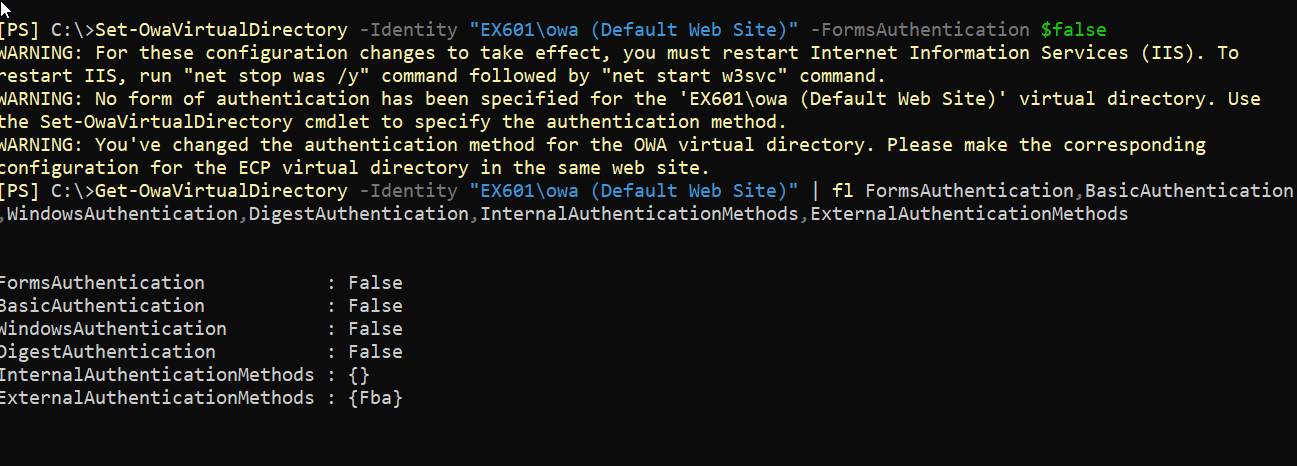
Two things stand out.
First, disabling FBA in this test also left Basic Authentication disabled. There was no frontend authentication method available for the browser to use.
Second, ExternalAuthenticationMethods still showed {Fba}. That is a useful reminder that this property is not a live description of the authentication method a specific browser request is currently using.
I then restarted the IIS services:
net stop was /y
net start w3svcAfter the restart, browsing to OWA no longer displayed the Exchange sign-in page. The browser received a terminal HTTP 401 response.
Browser → /owa/
Result → HTTP 401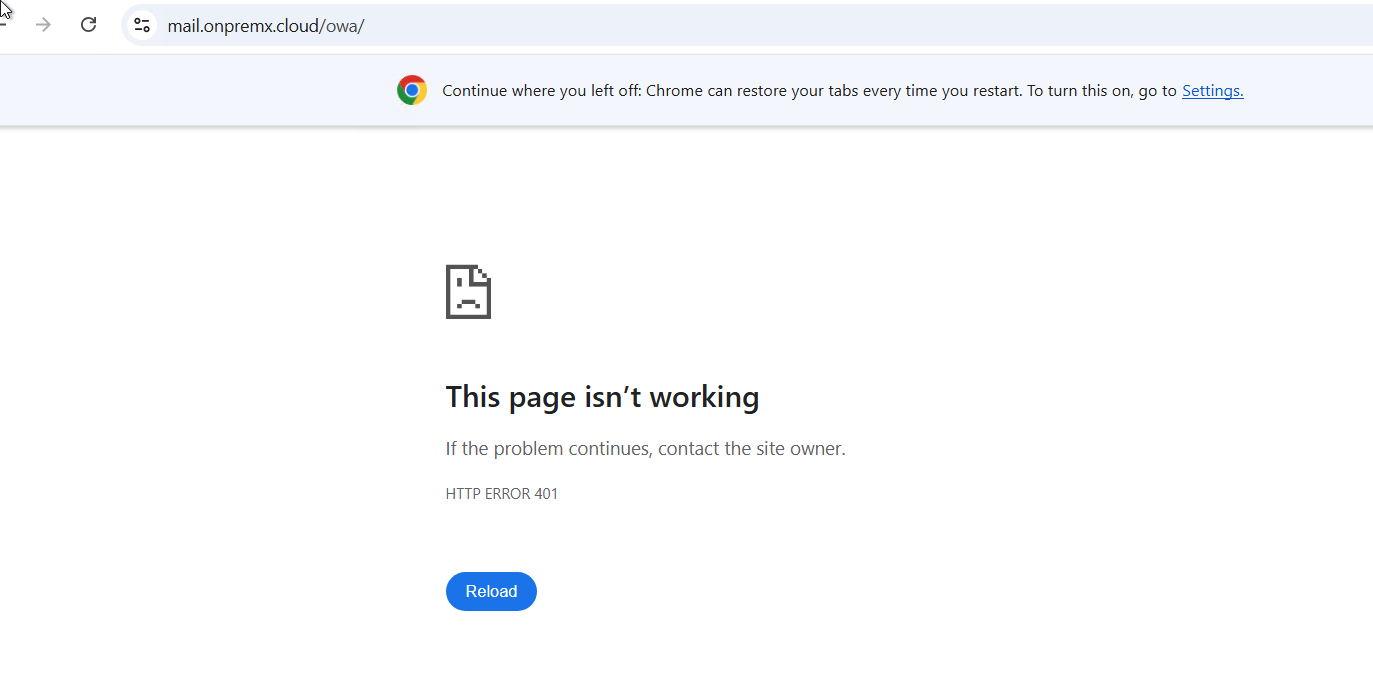
This result is exactly what we wanted from the test. FBA was gone, and there was no replacement frontend authentication method.
4. Why the 401 Matters
A 401 is not always an authentication failure. With Windows Integrated Authentication, 401 responses can be part of the normal challenge and response sequence.
That was not the case here. There was no Windows Authentication enabled and no other frontend method available. The 401 was the final browser result.
So the useful conclusion from Test 1 is not simply “401 means authentication failed.” It is more specific:
No frontend authentication method
↓
No FBA page and no alternate challenge
↓
Terminal HTTP 4015. Test 2 – Enable Basic Authentication Only
Next, I kept FBA disabled and enabled Basic Authentication explicitly. Microsoft requires the switch from FBA to Basic to be performed as separate tasks, so I did not combine disabling FBA and enabling Basic in one Set-OwaVirtualDirectory command.
Set-OwaVirtualDirectory -Identity "EX601\owa (Default Web Site)" -BasicAuthentication $true
net stop was /y
net start w3svcThe resulting Exchange configuration was:
FormsAuthentication           : False
BasicAuthentication           : True
WindowsAuthentication         : False
DigestAuthentication          : False
InternalAuthenticationMethods : {Basic}
ExternalAuthenticationMethods : {Fba}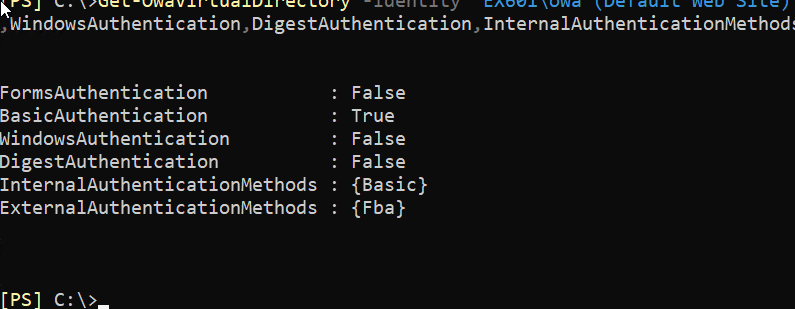
IIS matched the change on the frontend OWA application: Basic Authentication was enabled and Windows Authentication remained disabled.
After restarting the IIS services, the browser behavior changed immediately. Instead of the Exchange OWA forms page, the browser displayed its native username and password prompt.
With valid credentials, OWA opened normally.
This gives us a clean A/B comparison:
FBA enabled
→ Exchange OWA sign-in page

FBA disabled + Basic enabled
→ Browser HTTP Basic credential prompt
That is why BasicAuthentication=True in the normal baseline should not be read as “the user will see a Basic popup.” The user experience depends on the complete authentication configuration, not one Boolean property.
6. Test 3 – Restore Forms-Based Authentication
The last step was to return the frontend to the original FBA configuration.
Set-OwaVirtualDirectory -Identity "EX601\owa (Default Web Site)" -FormsAuthentication $true

net stop was /y
net start w3svcAfter the change, the baseline returned:
FormsAuthentication           : True
BasicAuthentication           : True
WindowsAuthentication         : False
DigestAuthentication          : False
InternalAuthenticationMethods : {Basic, Fba}
ExternalAuthenticationMethods : {Fba}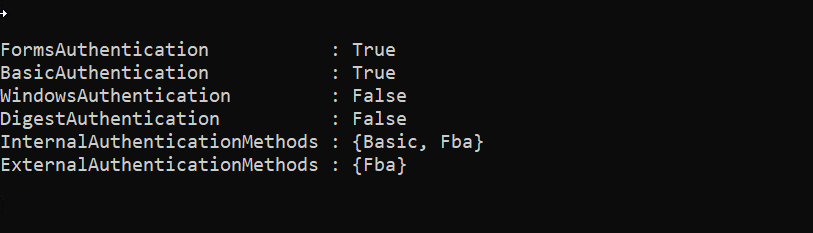
The browser returned to the normal Exchange OWA sign-in page.
This behavior is also documented by Microsoft. When FormsAuthentication is enabled, Exchange sets BasicAuthentication to $true and sets Digest and Windows Authentication to $false.
7. Set-OwaVirtualDirectory Also Changes the IIS Authentication State
One of the useful findings from these tests was that Set-OwaVirtualDirectory was not just changing a value that we could see through an Exchange cmdlet.
The relevant frontend IIS authentication settings changed with it.
FBA restored in Exchange
        ↓
Basic Authentication enabled in IIS
Windows Authentication disabled in IIS
IIS Forms Authentication still disabled
The last line is important. Exchange FBA is still not the generic IIS Forms Authentication feature. Re-enabling Exchange FBA does not mean the IIS Forms Authentication feature should be enabled.
For normal configuration work, I would manage OWA authentication through Exchange-supported settings rather than manually trying to make the IIS Authentication page “look right.”
8. What ExternalAuthenticationMethods Did Not Tell Us
Across these tests, ExternalAuthenticationMethods remained {Fba} even when FBA was disabled and the browser was either receiving a 401 or using Basic Authentication.
That makes it a poor field to use by itself when troubleshooting the runtime behavior of one request.
For a real incident, I would separate the questions:
What is configured?
→ Get-OwaVirtualDirectory

What is IIS currently allowing?
→ IIS Authentication settings

What did this request actually do?
→ IIS + HttpProxy logs
That separation becomes even more important in the next parts of the series.
9. Production Notes
These were controlled tests, not recommended production configurations.
- Keep OWA and ECP authentication methods aligned. Microsoft calls this out in its guidance.
- Plan for an IIS service restart when changing OWA authentication settings.
- Do not use the backend virtual directory as the place to implement normal OWA authentication changes.
- Always capture the starting state and have a rollback command ready before changing authentication.
For this test, the rollback was simply restoring Forms-Based Authentication and restarting the IIS services.
10. Key Takeaways
- Disabling FBA without enabling another frontend method produced a terminal HTTP 401.
- Basic-only authentication removed the Exchange forms page and produced the browser’s native Basic credential prompt.
- Re-enabling FBA restored Basic Authentication and disabled Windows and Digest Authentication on the frontend.
Set-OwaVirtualDirectorychanged the relevant frontend IIS authentication state as well as the Exchange properties.ExternalAuthenticationMethods={Fba}did not track the runtime method used in these tests.
Next: frontend vs backend authentication
Part 3 moves to the backend boundary. We will keep frontend FBA working and then change backend OWA authentication separately. That lets us see what happens when the user credentials are accepted at the frontend but the request cannot be authenticated correctly on the backend.
Exchange Server OWA Authentication Deep Dive Series
- Part 1: How OWA Authentication Really Works
- Part 2: Forms-Based and Basic Authentication – What Really Changes? — current
- Part 3: Frontend vs Backend Authentication – Controlled A/B Tests
- Part 4: Troubleshooting OWA Authentication with IIS and HttpProxy Logs
- Part 5: Managed Availability and OWA Health Probes
- Part 6: Windows Authentication, NTLM, Kerberos, SPNs and SSO
- Part 7: LogonFormat, DefaultDomain and Troubleshooting Playbook
References
- Set-OwaVirtualDirectory – Microsoft Learn
- Disable Basic authentication on Exchange Server virtual directories – Microsoft Learn
- Default settings for Exchange virtual directories – Microsoft Learn

Cloud and infrastructure professional with nearly two decades of experience in enterprise IT environments, spanning public cloud, private cloud, and hybrid architectures.