Applies to: VMware ESX / ESXi 4.1 / 4.0 / MSCS or WSFC with shared RDM LUNs
Historical: This article covers a legacy ESX/ESXi 4.x boot-delay issue seen on hosts that could access shared Raw Device Mapping (RDM) LUNs used by Microsoft Cluster Service (MSCS) nodes.
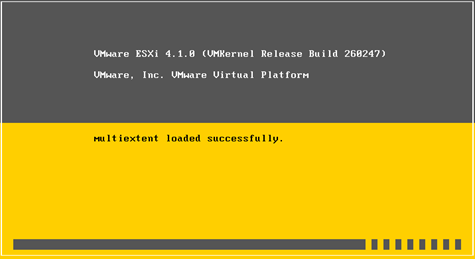
The host could appear to stop for a long time around messages such as multiextent loaded successfully while storage devices were being discovered. The delay was caused by SCSI reservation conflicts on shared RDM LUNs owned by the active cluster node.
In This Article
- 1. Why the Host Boots Slowly
- 2. ESX / ESXi 4.1 Workaround
- 3. ESX / ESXi 4.0 Workaround
- 4. Current ESXi Behavior
- 5. Key Takeaways
1. Why the Host Boots Slowly
When clustered virtual machines use shared RDM disks, the active cluster node can hold SCSI reservations on those LUNs. During host startup, ESX/ESXi scans the visible storage devices and waits while reservation-conflict retries or timeouts complete.
The more shared RDM LUNs visible to the host, the longer the startup delay can become.
2. ESX / ESXi 4.1 Workaround
For ESX/ESXi 4.1, VMware documented changing the following advanced setting:
Scsi.CRTimeoutDuringBoot = 1- Open the host in the legacy vSphere Client.
- Go to Configuration > Advanced Settings.
- Select SCSI.
- Set Scsi.CRTimeoutDuringBoot to 1.
3. ESX / ESXi 4.0 Workaround
For ESX/ESXi 4.0, the equivalent workaround used a different advanced parameter:
Scsi.UWConflictRetries = 80In affected ESX/ESXi 4.0 Update 1 environments, the value could default to 1000, causing the host to spend much longer retrying storage operations while enumerating LUNs and VMFS volumes.
- Open Configuration > Advanced Settings.
- Select SCSI.
- Set Scsi.UWConflictRetries to 80.
4. Current ESXi Behavior
Do not apply these ESX/ESXi 4.x advanced settings to current ESXi releases. For modern ESXi hosts that can see shared RDM LUNs used by WSFC or another clustering solution, Broadcom documents marking those RDM devices as perennially reserved.
esxcli storage core device setconfig -d naa.id --perennially-reserved=trueOnly apply the setting to the RDM LUNs used by the clustered workload, and verify the correct NAA identifier before making the change.
5. Key Takeaways
- The ESX/ESXi 4.x boot delay was caused by reservation conflicts on shared cluster RDM LUNs.
- ESX/ESXi 4.1 used Scsi.CRTimeoutDuringBoot = 1 as the workaround.
- ESX/ESXi 4.0 used Scsi.UWConflictRetries = 80.
- These values are historical and should not be copied to current ESXi releases.
- Modern ESXi uses the perennially-reserved setting for affected shared RDM devices.
References

Cloud and infrastructure professional with nearly two decades of experience in enterprise IT environments, spanning public cloud, private cloud, and hybrid architectures.