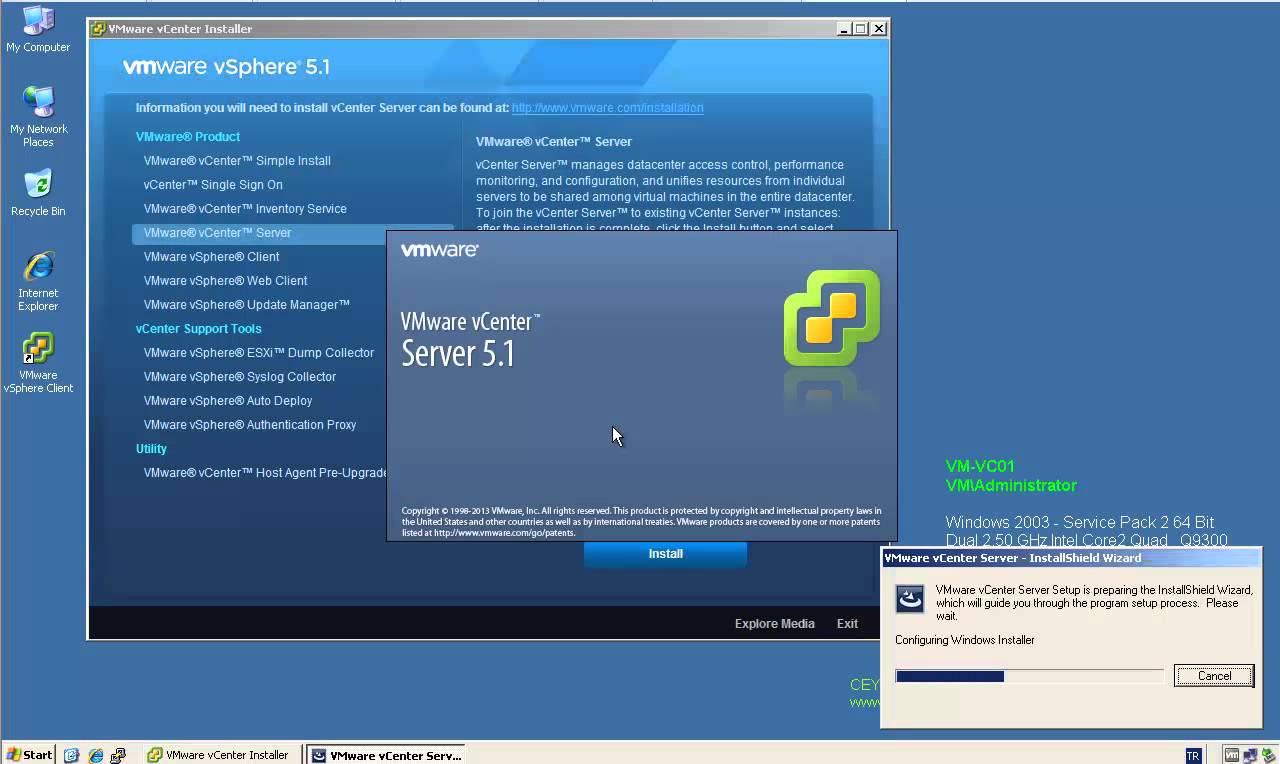
Step by Step Upgrade from VMware vCenter Server 5.1 to vCenter Server 5.1 Update 1

Step by Step Upgrade from VMware vCenter Server 5.1 to vCenter Server 5.1 Update 1

Video Tutorials, vSphere
VMware vCenter Server has been split into 4 services: Single-Sign On, Inventory Service, vCenter Server and the vSphere Web Client. That makes the update process a little bit more more complex. All vCenter Server Components have to be patched separately. The update process itself if strait forward and can usually been clicked through without answering much questions. Recommended Upgrade Sequence for VMware vCenter: Update vCenter Single Sign On Reboot Update VMware vCenter Inventory Service Update VMware vCenter Server Update VMware vSphere Web Client Update VMware vSphere Update Manager Update ESXi Hosts
Read More
How to Install PCLinuxOS KDE 2013.04 in VMware Workstation 9

How to Install PCLinuxOS KDE 2013.04 in VMware Workstation 9

Linux, Video Tutorials
Why PCLinuxOS? PCLinuxOS is based on Mandriva. PCLinuxOS aims to be a simple distribution that reaches to the masses, allowing Windows users to easily and painlessly convert. It uses Synaptic as the frontend for the APT package management system, also used in Ubuntu. On the other hand, it retains many of the GUI-oriented functions that Mandriva has, making it suitable for Linux newbies. In following video tutorial, we will see: - Installing PCLinuxOS KDE 2013.04 in VMware Workstation 9.0.2 - Installing VMware Tools Related Video: https://www.youtube.com/watch?v=o9GXjStuwiY Hope you found it useful. Any questions or comments are welcomed.
Read More
Install Fedora 19 KDE Desktop Edition in VMware Workstation 9

Install Fedora 19 KDE Desktop Edition in VMware Workstation 9

Red Hat - CentOS - Fedora, Video Tutorials, Workstation
Anaconda installer for Fedora 18 was a complete mess after its installer user-interface was redone. The Fedora 19 KDE installation is fairly simple and easy process. The Best Features Of Fedora 19 Fedora 18 is one of the first major tier-one Linux distributions shipping the GCC 4.8 compiler by default. GCC 4.8 has a whole lot of improvements from faster performance for some workloads to better instruction set coverage on new processors and full C++11 support. GNOME 3.8, KDE Plasma 4.10, and MATE 1.6 are among the Linux desktop environment options available on Fedora 19. GNOME 3.8, of course, is the default desktop environment for Fedora Linux 19. RPM 4.11 is now in use for package management and it brings better performance, lower memory usage, better file conflict detection, and…
Read More

How to Perform Authoritative DC Restore for Windows Server 2008

Active Directory, Identity, Video Tutorials
When a domain contains more than one domain controller, Active Directory replicates directory objects, such as users, groups, organizational units, and computers, to all the domain controllers in that domain. Authoritative restore is a method to recover objects and containers that have been deleted for AD DS. An authoritative restore marks specific data as current and prevents the replication from overwriting that data. The authoritative data is then replicated throughout the domain. The process for performing an authoritative restore of AD is the same as a Non-authoritative restore except for one step. After the restore of AD is complete in DSRM and then, before restarting, you manually run Ntdsutil, and the mark the object that you want to restore as Authoritative.
Read More

How to use Microsoft Outlook 2010 Inbox Repair Tool to Fix a PST File Automatically

Office
This article provides a step-by-step tutorial on how to use the included Outlook 2010 Inbox Repair Tool, also known as Scanpst.exe. From time to time, the .pst or Personal Folders file used for everything (email, calendar, contacts, tasks & more) in Outlook gets corrupted or damaged. The Outlook 2010 ScanPst.exe .PST Recovery Tool You need to navigate to this path using Windows Explorer: Hard Drive Letter:\Program Files\Microsoft Office\OFFICE14, inside this folder, you're looking for this particular setup file: "Scanpst.exe" When you run the .exe, you'll need to Browse to your current .pst file and hit Start: The Inbox Repair Tool will now scan the corrupted .PST file for errors: If your PST file is recoverable, you'll see the repairable errors show up in the scan results. To fix them, select…
Read More
How to Disable Negative DNS Caching (NAK) on Windows DNS Clients

How to Disable Negative DNS Caching (NAK) on Windows DNS Clients

Microsoft
If Windows DNS client gets a negative response from its DNS server, then the client caches this NAK responses for 15 minutes (negative responses) by default. You can use the Ipconfig tool to view and to flush the DNS resolver cache. After you flush the cache, the computer must query DNS servers again for records. To delete the entries in the DNS resolver cache, type ipconfig /flushdns at a command prompt. Sometimes you need to disable negative caching especially if you use unreliable Service Provider DNS Servers. Warning: Edit the Registry at your own risk. Steps to Disable Negative DNS Caching Start Registry Editor (Regedit.exe). Locate and then click the following key in the registry: HKEY_LOCAL_MACHINE\SYSTEM\CurrentControlSet\Services\Dnscache\Parameters On the Edit menu, point to New , click DWORD (32-bit) Value, and then add the following registry…
Read More
How to Enable SSL Support for VSFTPD – RHEL 6 – CentOS 6

How to Enable SSL Support for VSFTPD – RHEL 6 – CentOS 6

Red Hat - CentOS - Fedora, Video Tutorials
FTP, or file transfer protocol, was a popular way to transfer files between local and remote computers in the past. Traditional FTP is rather insecure. When you login, your username and password are transmitted in clear text, raising the possibility of your credentials being sniffed. If you still want to use FTP instead of a more secure alternative like SFTP, which uses the SSH protocol to implement file transfers, you can secure it somewhat by configuring FTP to use SSL. You can quite easily configure your vsftpd server to use OpenSSL encryption, so that usernames & password, and even data files, are encrypted during transfer. It takes just a few simple steps. Steps: 1. Check whether the latest mod_ssl installed locate mod_ssl 2. Install the latest mod_ssl via yum yum…
Read More
Common Network Utilities in Linux

Common Network Utilities in Linux

Linux
Computers are connected in a network to exchange information or resources each other. Maintaining of system and network up and running is an essentials task of System or Network Administrator’s job. In this tutorial, I will explain various tools which can be useful when networking with other computers both within the network and across the internet, obtaining more information about other computers. ping - Determine if remote host is up/available telnet - Determine if local/remote service is available netstat - Shows network connections, routing tables, interface statistics netstat -a - dumps ALL sockets with: service/port and hostname resolution netstat -an - same as above, but suppresses name resolution netstat -ntl - suppresses name resolution, shows all TCP and listeners netstat -ntlp - same as above, includes programs bound to ports netstat…
Read More
Installing Arch Linux 2013.05.01 + Xfce 4.10 in VMware Workstation 9

Installing Arch Linux 2013.05.01 + Xfce 4.10 in VMware Workstation 9

Linux, Video Tutorials
What is Arch Linux? Arch Linux is an independently developed general purpose GNU/Linux distribution. Development focuses on simplicity, minimalism. Arch Linux was founded by Canadian programmer Judd Vinet. Its first formal release, Arch Linux 0.1, was on March 11, 2002. Although Arch is completely independent, it draws inspiration from the simplicity of other distributions including Slackware, CRUX and BSD. Arch Linux is one of my favorite GNU/Linux distributions, however it is not as easy to install as are other Linux distributions. Related Video: https://www.youtube.com/watch?v=8ILPjsZvs8Y Hope you found it informative and useful. Any questions or comments are welcomed.
Read More