Step by Step Upgrade from VMware vCenter Server 5.1 to vCenter Server 5.1 Update 1

Step by Step Upgrade from VMware vCenter Server 5.1 to vCenter Server 5.1 Update 1

Video Tutorials, vSphere
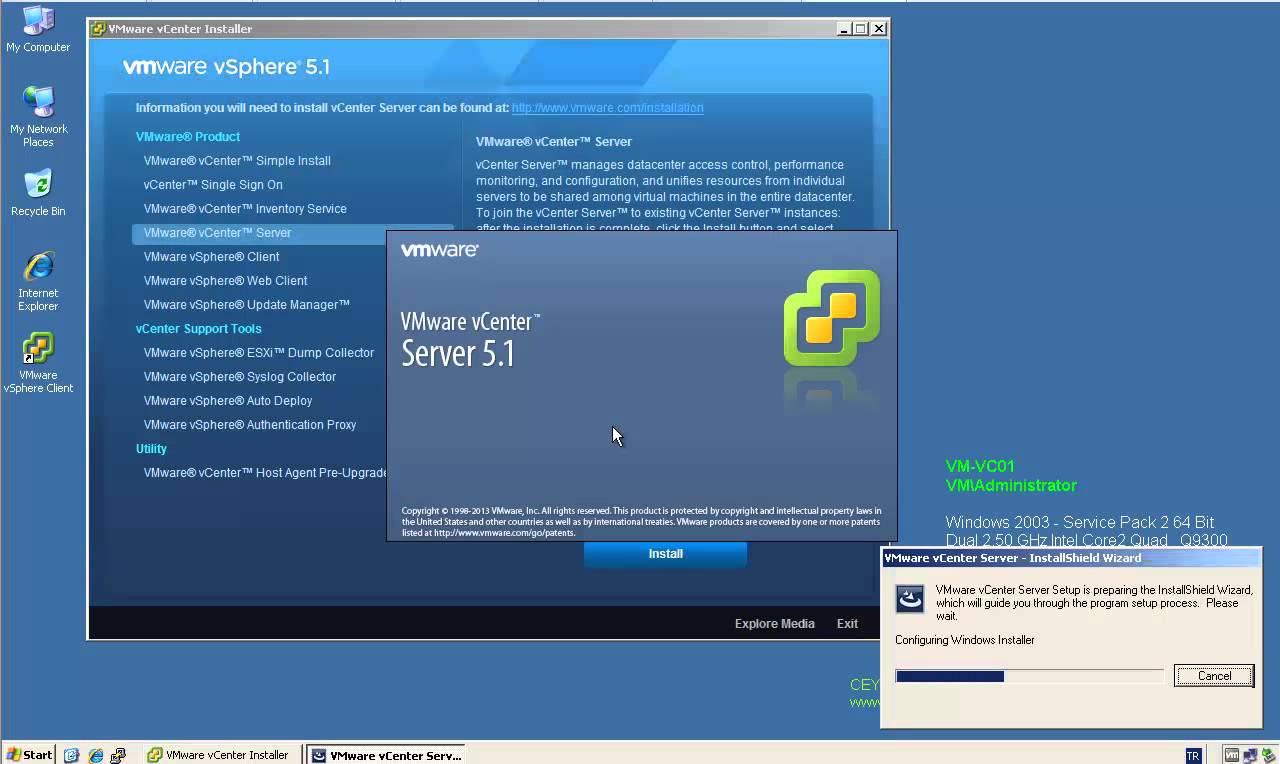
VMware vCenter Server has been split into 4 services: Single-Sign On, Inventory Service, vCenter Server and the vSphere Web Client. That makes the update process a little bit more more complex. All vCenter Server Components have to be patched separately. The update process itself if strait forward and can usually been clicked through without answering much questions. Recommended Upgrade Sequence for VMware vCenter: Update vCenter Single Sign On Reboot Update VMware vCenter Inventory Service Update VMware vCenter Server Update VMware vSphere Web Client Update VMware vSphere Update Manager Update ESXi Hosts
Read More
Install Fedora 19 KDE Desktop Edition in VMware Workstation 9

Install Fedora 19 KDE Desktop Edition in VMware Workstation 9

Red Hat - CentOS - Fedora, Video Tutorials, Workstation
Anaconda installer for Fedora 18 was a complete mess after its installer user-interface was redone. The Fedora 19 KDE installation is fairly simple and easy process. The Best Features Of Fedora 19 Fedora 18 is one of the first major tier-one Linux distributions shipping the GCC 4.8 compiler by default. GCC 4.8 has a whole lot of improvements from faster performance for some workloads to better instruction set coverage on new processors and full C++11 support. GNOME 3.8, KDE Plasma 4.10, and MATE 1.6 are among the Linux desktop environment options available on Fedora 19. GNOME 3.8, of course, is the default desktop environment for Fedora Linux 19. RPM 4.11 is now in use for package management and it brings better performance, lower memory usage, better file conflict detection, and…
Read More
How to Update from ESXi 4.1 to ESXi 4.1 Update 1 without VMware Update Manager

How to Update from ESXi 4.1 to ESXi 4.1 Update 1 without VMware Update Manager

VMware
I will show you the exact steps which are necessary to be able to update ESXi 4.1 to ESXi 4.1 update 1 with using vihostupdate.pl utility inVMware vCLI. You need the upgrade file and VMware vCLI. Steps to Update from ESXi 4.1 to ESXi 4.1 Update 1: 1- First of all you need to download the update package for ESXi 4.1. Go to this adress and download the zip file from VMware Official Website (206 Mb). 2- Download VMware vCLI here from VMware and install it on your Windows box. 3- Copy the downloaded ZIP package update-form-esxi4.1-4.1_update01.zip to the bin directory of WMware vCli. 4- Open the vCLI command prompt and CD to the c:\Program Files\VMware\VMware vSphere CLI\bin directory. 5- Make sure Windows host is communicating to VMware ESXi Server (…
Read More

Windows Server 2008 R2 Best Practices in VMware vSphere 4.X

VMware, Windows Server
Be sure the virtual machine has at least 2GB of RAM. Hard drive for the virtual machine must be 20GB or larger. Single VCPU works better for Windows 2008, Because Windows 2008 uses high bit rate address space for context switching when compared with Windows 2003, which creates multiple cycles of high bit range contexts and these are better addressed by Single VCPU. (this again vary if it is a DB server). VCPU will get hit, when VMware have wide variety of hardware components attached to VM (Majorly Serial and Parallel COM ports, USB controllers, Sound Cards etc), if any of these components are not required, remove them and disable them from VM BIOS. Zeroed Thick: Space required for the virtual disk is allocated at creation time, hoVMwarever the data…
Read More

How to Install IBM x3850 X5 Intel 82576 and 82580 Gigabit Ethernet Controller on VMware ESXi 4x and ESX 4x

vSphere
The IBM x3850 X5 server is a nice machine. This particular IBM x3850 X5 came with IBM I340-T4 Network Adapters, however they weren't being detected by VMware ESXi 4x. The NICs are supported by vmware but drivers aren't included by default on the ESXi media. You need to manually download the driver packages from VMWare, and inject the driver into ESXi/ESX in order to utilize the NICs. These NICs can be ordered with any IBM System x Server, so you can run into this issue on anything from an IBM x3250 through to an IBM x3950. Driver Install Process: 1- Download the ESX/ESXi 4.x Driver CD for Intel 82576 and 82580 Gigabit Ethernet Controller. Then, mount the ISO, extract the driver bundle from the " offline-bundle " folder. 2- Upload " INT-intel-lad-ddk-igb-2.1.10.2-offline_bundle-268793.zip…
Read More

multiextent loaded successfully – Long Time to Boot ESX/ESXi 4.x hosts with passive MSCS nodes with RDM

VMware
You might experience significant delays while booting your ESX/ESXi 4.x hosts that have passive MSCS nodes with RDM LUNs on a SAN. This could be because conflicts between the LUN SCSI reservations. For ESX and ESXi 4.1 hosts To resolve this issue in ESX/ESXi 4.1 hosts, you must modify the Scsi.CRTimeoutDuringBoot parameter from the GUI. To modify the Scsi.CRTimeoutDuringBoot parameter: Go to Host > Configuration > Advanced Settings. Select SCSI. Change the Scsi.CRTimeoutDuringBoot value to 1. For ESX and ESXi 4.0 hosts The Scsi.UWConflictRetries parameter for ESX/ESXi 4 Update 1 hosts have a default value of 1000. This increases the time spent enumerating LUN and VMFS volumes. To resolve this issue and to speed up the boot process, modify this value to 80. To modify the Scsi.UWConflictRetries parameter from the…
Read More

VMware vSphere 5 features a new ESXi firewall

VMware
VMware vSphere 5 features a new ESXi firewall that you can configure though the vSphere Client or command line. The addition brings a feature to ESXi 5 that was previously found only in the recently discontinued ESX hypervisor. VMware argued that ESXi didn't require a firewall, because the lightweight hypervisor had hardly any services or ports open, leaving it with almost nothing to attack. I believe VMware added a firewall to ESXi 5 for few reasons. With a firewall, ESXi 5 isn't missing a notable feature found in the old ESX Server. Also, a firewall signals to customers and partners that VMware is committed to security. And finally, vSphere 5 is just as secure as before, if not more so. Five things to know about the ESXi 5 firewall It?s…
Read More
Microsoft SQL Server 2008 Best Practices in VMware vSphere 4.x

Microsoft SQL Server 2008 Best Practices in VMware vSphere 4.x

VMware
Best practices for SQL Server 2008 in VMware Set a fixed amount of memory that the SQL Server process will use. For example, set the max server memory and min server memory equal and large enough to satisfy the workload (2500 MB is a good starting value). Configure SQL Server to Use Soft-NUMA - To avoid any performance latency resulting from remote memory accesses, you should size a SQL Server virtual machine?s memory so it is less than the amount available per NUMA node. For more information about NUMA, you can visit http://msdn.microsoft.com/en-us/library/ms345357.aspx Note: This should be applied only if it is applicable to your environment. If you set the SQL Server lock pages in memory parameter, make sure to set the virtual machine?s reservations to match the amount of…
Read More

How to Install VMware vCenter Server 5.1 U1 with Microsoft SQL Server 2012 on Windows Server 2012

Video Tutorials, vSphere
it’s possible to install vCenter Server on Windows Server 2012. Also a Microsoft SQL 2012 is supported as an external database. Since the vSphere 5.1, the architecture of vCenter has changed and another database is present – SSO (single sign on database). So there are three databases for vCenter: VMware vSphere 5.1 Single Sign-On VMware vSphere vCenter server VMware Update Manager All those database can be installed on a separate Microsoft SQL Server 2012 (this post) or on the same VM as vCenter server. SQL 2008R2 Express is still the database which is bundled with the VMware vSphere. VMware vCenter Server VM requirements: 64-bit system DSN to connect to its database I recommend getting the latest patches from Microsoft before going further.
Read More