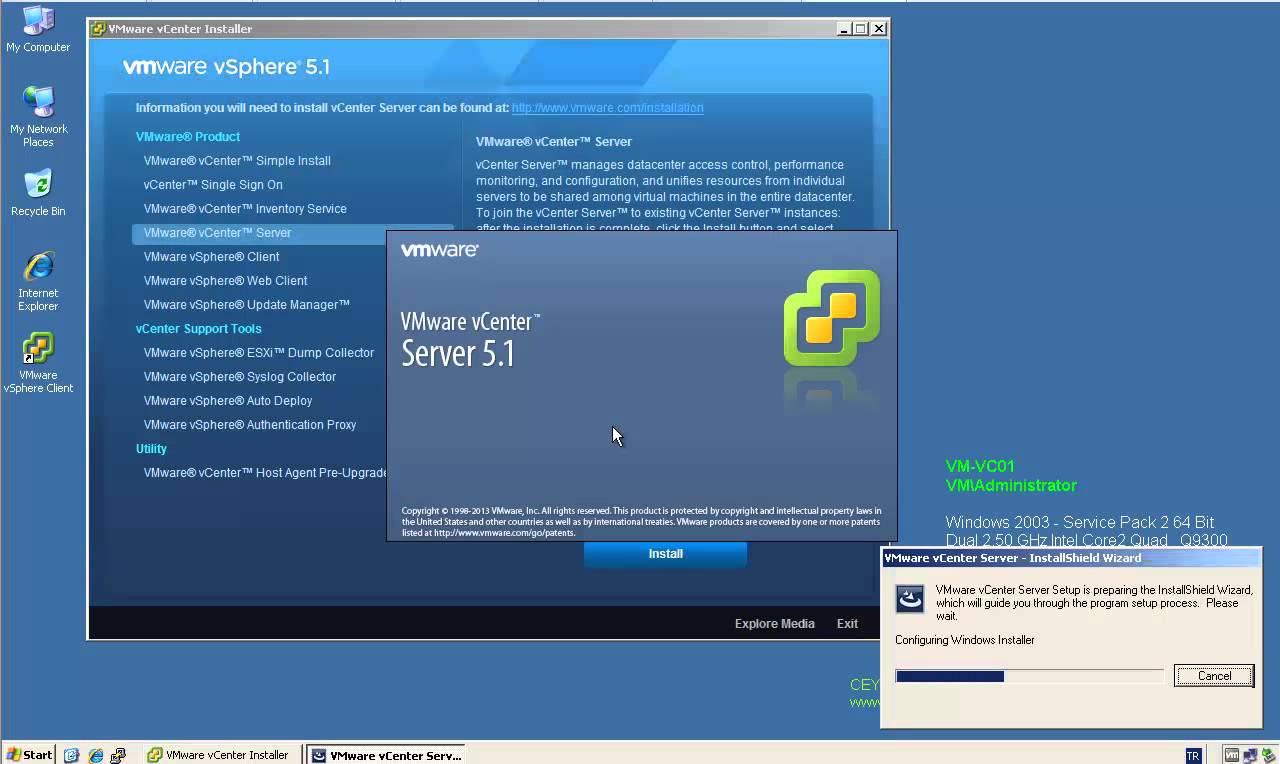
Installing VMware vCenter Server 5.1 Update 1 on Windows Server 2012

Installing VMware vCenter Server 5.1 Update 1 on Windows Server 2012

Video Tutorials, vSphere
VMware released the new version of vCenter server which is 5.1 update 1, with new improvements and features. Such as:  vCenter Server is now supported on Windows Server 2012 Additional vCenter Server Database Support: vCenter Server now supports the following databases. Microsoft SQL Server 2012 Microsoft SQL Server 2008 R2 SP2 vCenter Essentials no longer enforces vRAM usage limit of 192 GB vCenter 5.1 Requirements VMware recommends 10GB of RAM if you are planning to install all components on a single server (which is what the simple install does). 64-bit dual logical CPU cores have been required since vSphere 4.1, so no change here. You will also need at least 40-60GB of free disk space after installation (100GB recommended). vCenter Server supports IBM DB2, Oracle, and Microsoft SQL Server databases.…
Read More

How to Install VMware vCenter Server 5.1 Update 1 on Windows Server 2008 R2 SP1

Video Tutorials, vSphere
VMware released the new version of vCenter server which is 5.1 update 1, with new improvements and features. Such as: vCenter Server is now supported on Windows Server 2012 Additional vCenter Server Database Support: vCenter Server now supports the following databases. Microsoft SQL Server 2012 Microsoft SQL Server 2008 R2 SP2 vCenter Essentials no longer enforces vRAM usage limit of 192 GB vCenter 5.1 Requirements VMware recommends 10GB of RAM if you are planning to install all components on a single server (which is what the simple install does). 64-bit dual logical CPU cores have been required since vSphere 4.1, so no change here. You will also need at least 40-60GB of free disk space after installation (100GB recommended). vCenter Server supports IBM DB2, Oracle, and Microsoft SQL Server databases.…
Read More
How to Install VMware vSphere vCenter Server 5.1.0b on Windows Server 2003 R2 X64 SP2

How to Install VMware vSphere vCenter Server 5.1.0b on Windows Server 2003 R2 X64 SP2

Video Tutorials, vSphere
One of most important components of the vSphere environment is vCenter Server. vCenter Server acts as a central management point for managing ESXi hosts. In this video we will install VMware vSphere vCenter Server 5.1.0b using the Simple Install method on Windows Server 2003 R2 X64 SP2. Minimum requirements for the vCenter server Processor: Intel or AMD x86 processor with two or more logical cores, each with a speed of at least 2GHz. Memory: 4GB RAM. RAM requirements may be higher if your database runs on the same machine. Disk storage: 4GB. Disk requirements may be higher if the vCenter Server database runs on the same machine. Supported operating systems Microsoft Windows Server 2003 SP2 64bit Microsoft Windows Server 2003 SP2 64bit Microsoft Windows Server 2008 SP2 64bit Microsoft Windows…
Read More
VMware vCenter Server 5.1 Update 1 and ESXi 5.1 Update 1 Released

VMware vCenter Server 5.1 Update 1 and ESXi 5.1 Update 1 Released

vSphere
[caption id="attachment_561" align="alignnone" width="303"] VMware vSphere 5.1 Update 1[/caption]   April 25th, VMware released vCenter Server 5.1 Update 1 and ESXi 5.1 Update 1. This release offers the following improvements: vCenter Server is now supported on Windows Server 2012 Additional vCenter Server Database Support: Microsoft SQL Server 2012 Microsoft SQL Server 2008 R2 SP2 Additional Guest Operating System Customization Support: Windows 8 Windows Server 2012 Ubuntu12.04 RHEL 5.9 Resolved Issues: This release delivers a number of bug fixes that have been documented in the Resolved Issues section in release notes. All new vSphere features are available only through the vSphere Web Client.  vSphere Client will continue to operate,  but not exposing any of the new features in vSphere 5.1. vSphere 5.1 and its subsequent update and patch releases are the…
Read More
Step by Step Upgrade from VMware vCenter Server 5.1 to vCenter Server 5.1 Update 1

Step by Step Upgrade from VMware vCenter Server 5.1 to vCenter Server 5.1 Update 1

Video Tutorials, vSphere
VMware vCenter Server has been split into 4 services: Single-Sign On, Inventory Service, vCenter Server and the vSphere Web Client. That makes the update process a little bit more more complex. All vCenter Server Components have to be patched separately. The update process itself if strait forward and can usually been clicked through without answering much questions. Recommended Upgrade Sequence for VMware vCenter: Update vCenter Single Sign On Reboot Update VMware vCenter Inventory Service Update VMware vCenter Server Update VMware vSphere Web Client Update VMware vSphere Update Manager Update ESXi Hosts
Read More